
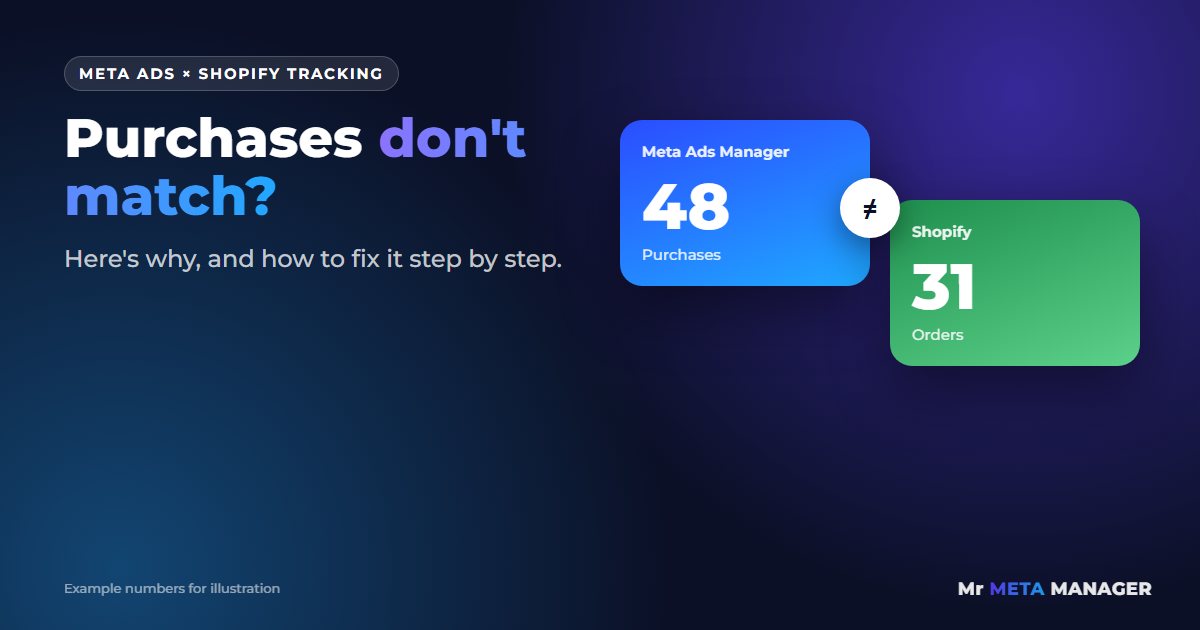
Ads Manager says 48 purchases yesterday. Shopify says 31 orders. Or it’s the other way round: Shopify is full of orders and Meta claims your ads sold almost nothing.
Either way, you’re left staring at two dashboards that don’t agree, wondering which one is lying. And that’s not a small question. If you can’t trust the numbers, you can’t tell which ads to scale and which to switch off. You’re basically spending money with your eyes closed.
Here’s the honest truth up front: Meta and Shopify will never match perfectly. They count in different ways. But a big gap, or a gap that suddenly changes, almost always has a fixable cause. In this guide I’ll show you what’s normal, what’s broken, and exactly how to check it.
Why Meta and Shopify count sales differently
Before you fix anything, it helps to know that the two platforms are answering different questions:
- Shopify counts every order your store received, from every source: ads, Google, email, Instagram bio links, your mom telling her friends.
- Meta counts purchases it believes happened because someone saw or clicked one of your ads, within a time window (by default, 7 days after a click or 1 day after a view).
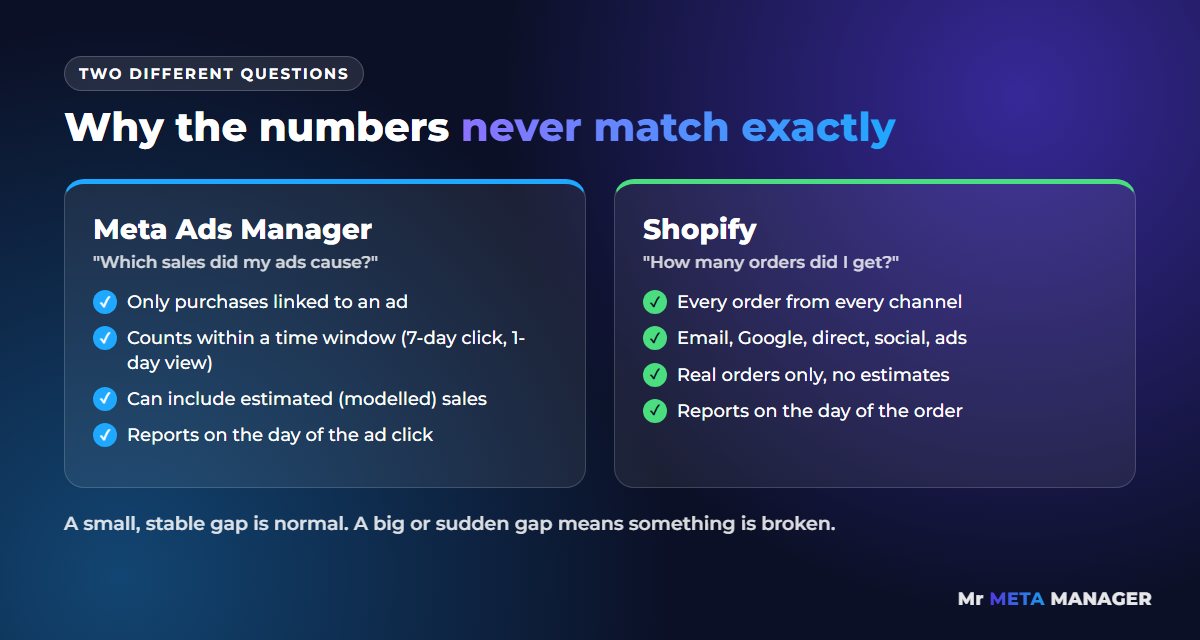
So some difference is completely normal. The real question is: is Meta showing more purchases than it should, or fewer? The causes are different, so let’s split them.
If Meta shows MORE purchases than Shopify
This one feels nice until you realize your ROAS is fake. The usual reasons:
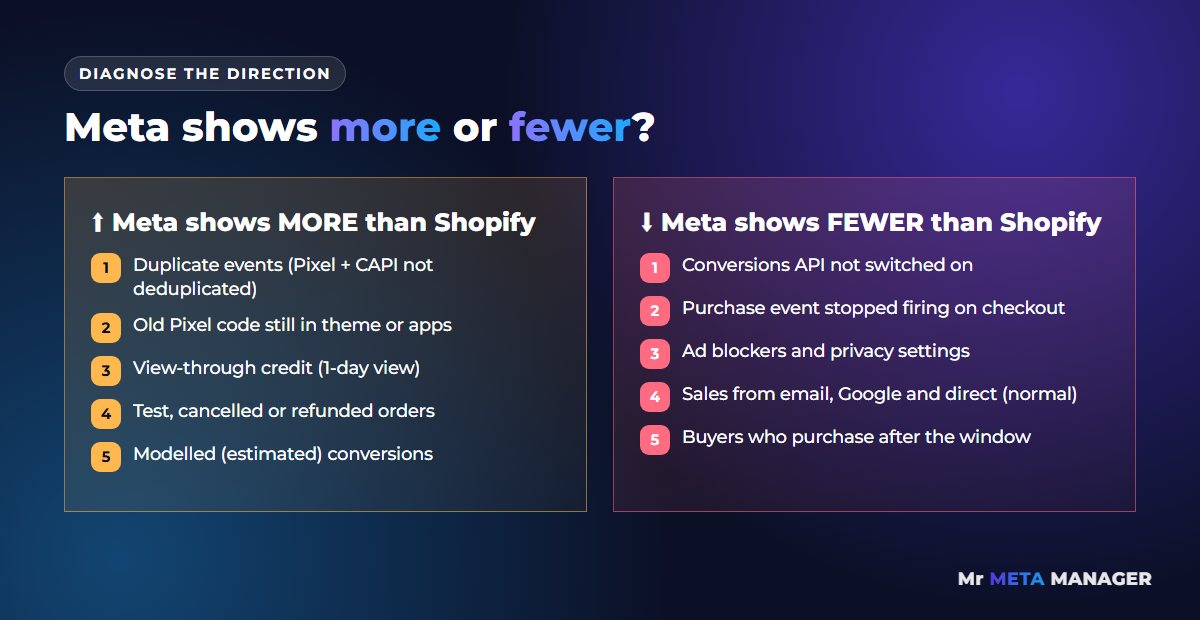
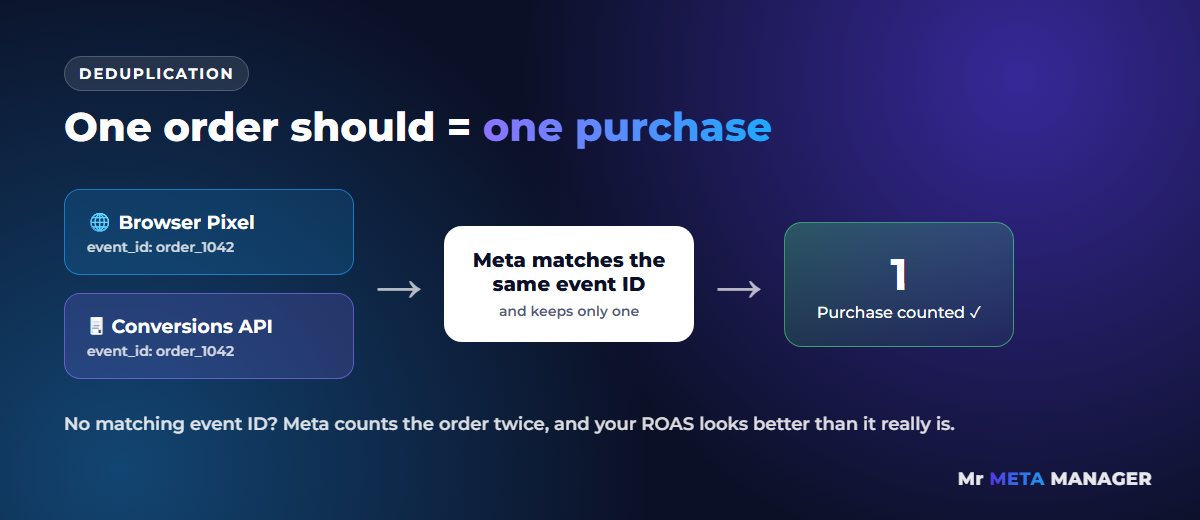
- Duplicate purchase events. The most common one. Your Pixel and the Conversions API both send the same purchase, but without a matching event ID, so Meta counts it twice. Or there’s an old Pixel code still in your theme and the Shopify app is sending events too.
- View-through conversions. Someone saw your ad, didn’t click, then bought a day later from Google. Meta still takes credit with the default “1-day view” setting.
- Test, canceled and refunded orders. Meta doesn’t know an order was refunded. Shopify reports may exclude it.
- Date differences. Meta can report a purchase on the day of the ad click, while Shopify reports it on the day of the order.
- Modelled conversions. When Meta can’t see some purchases (for example, iPhone users who opted out of tracking), it estimates them. Those estimates can push numbers up.
If Meta shows FEWER purchases than Shopify
This is the dangerous one, because Meta’s algorithm learns from the purchases it sees. If it’s missing half your sales, it can’t find more buyers like them. The usual reasons:
- Conversions API isn’t switched on, so you’re relying on the browser Pixel alone. Ad blockers, privacy settings and cookie banners block a lot of browser tracking.
- The purchase event stopped firing. Shopify has moved away from old “Additional scripts” on the thank-you page. If your Pixel code lived there, it may have quietly stopped working (here’s how to fix a purchase event that isn’t firing).
- Normal, non-ad sales. Remember, Shopify counts every order. If half your sales come from email and Google, Meta should show fewer.
- Short attribution window. If someone clicks your ad and buys 10 days later, Meta won’t count it with a 7-day click window.
The 6-step check to find your tracking problem
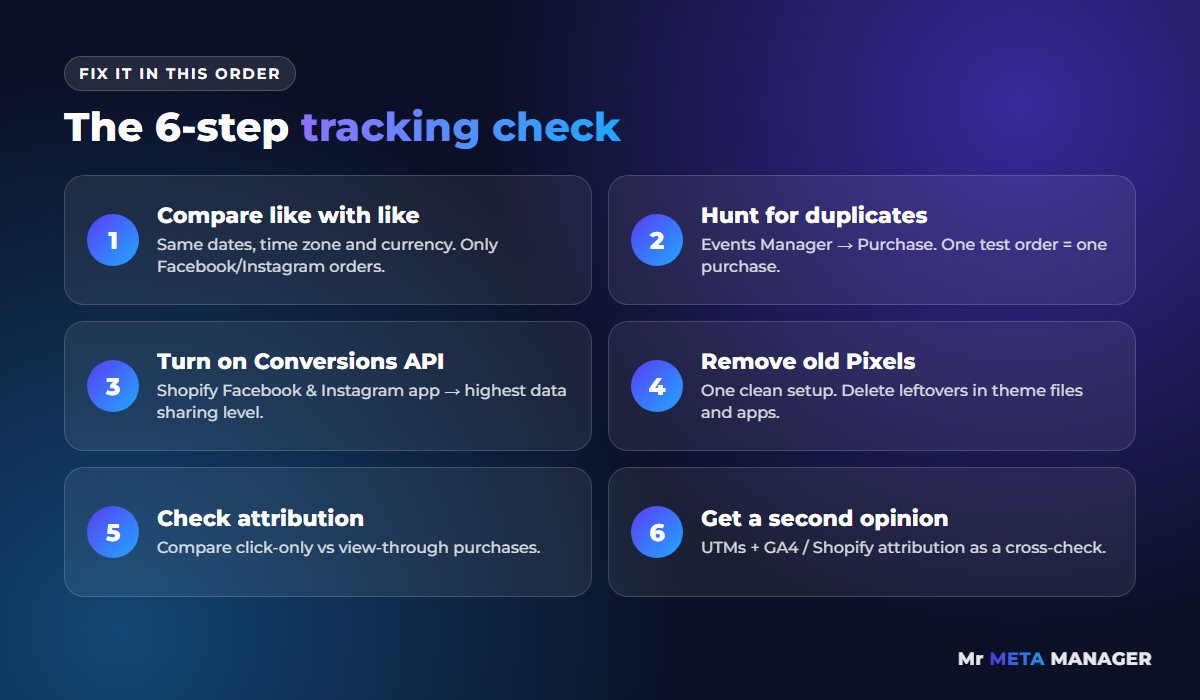
Go through these in order. Most stores find their problem in the first three steps.
Step 1: Compare like with like
Pick the same date range in both. Make sure the ad account and the store use the same time zone and currency. In Ads Manager, look at “Purchases”. In Shopify, filter orders to the ones that came from Facebook and Instagram (your UTM links help here). Now you’re comparing apples with apples.
Step 2: Hunt for duplicates
Open Meta Events Manager and click on your Purchase event. You should see it received from both the browser (Pixel) and the server (Conversions API), and Meta should be deduplicating them. Then place a small test order and watch it arrive in “Test events”. One order should show up as one purchase, not two.
Step 3: Check your Shopify data sharing setting
In Shopify, open the Facebook & Instagram channel and find the data sharing setting. Use the highest level available to your store. That turns on the Conversions API, which sends purchases from Shopify’s server so they don’t depend on the visitor’s browser.
Step 4: Remove old or extra Pixels
Search your theme files and your apps for any Pixel code that’s been added manually over the years. Old agencies and apps love to leave Pixels behind. You want one clean setup, not three overlapping ones.
Step 5: Look at your attribution setting
In Ads Manager, use “Compare attribution settings” to see purchases from clicks only. If most of your “sales” disappear when you remove view-through, your ads may be getting credit for sales they didn’t really cause.
Step 6: Get a second opinion from GA4
Use UTM links on every ad and check GA4 or Shopify’s own attribution reports. No tool is perfect, but if Meta, GA4 and Shopify all point in roughly the same direction, you can trust your decisions.
What “good” looks like
You’re not aiming for a perfect match, because that’s impossible. You’re aiming for a gap that’s stable and explainable. If Meta usually shows a bit fewer than Shopify because some sales come from email and Google, that’s healthy. If the gap suddenly jumps, or Meta shows way more than your total orders, something’s broken and you need to fix it before you spend another dollar scaling.
How we can help (and how easy it is)
Honestly? Tracking is the boring part most agencies skip. We start every account with it, because if the data is wrong, every decision after that is a guess.
For one Shopify brand, we rebuilt the Pixel and Conversions API setup first, so both Meta and Google were learning from real purchases, then restructured their campaigns. Over 2024 that account produced SEK 4.78M in revenue from SEK 1.19M in ad spend (4.0× ROAS). Every store is different and we can’t promise the same numbers, but clean tracking is where results like that start.
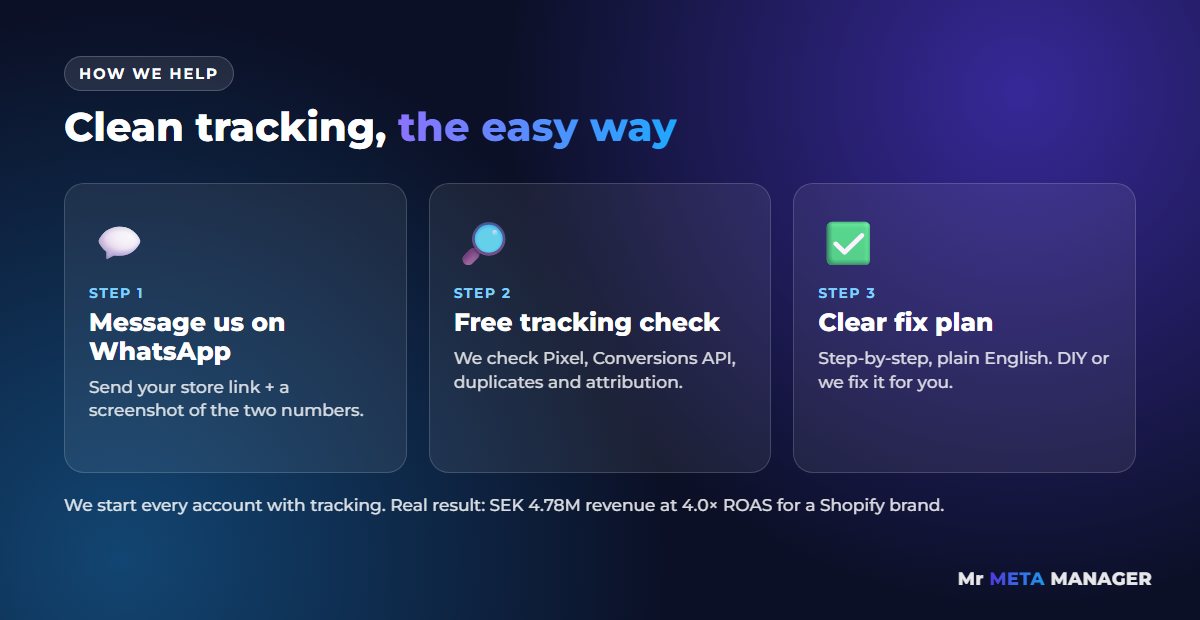
Getting started is simple:
- Message us on WhatsApp. Send your store link and a screenshot of the two numbers that don’t match.
- We do a free tracking check. We look at your Pixel, Conversions API, duplicates and attribution settings.
- You get a clear fix plan. Plain English, step by step. Fix it yourself, or let us do it for you.
Stop guessing which number is true
Every week you run ads on broken tracking, Meta is learning from the wrong data. Fix the numbers first, then scale with confidence.
Send us a WhatsApp message and we’ll check your tracking for free.
💬 Chat with us on WhatsApp now
Prefer email? help@mistermetamanager.com
Quick answers
Why does Facebook show purchases but there are no orders in Shopify?
Usually because of duplicate purchase events (Pixel and Conversions API both counting the same order), test orders, or view-through conversions where Meta takes credit for a sale that came from somewhere else. Check Events Manager for duplicates first.
Should Meta and Shopify numbers match exactly?
No. Shopify counts all orders from every channel, while Meta only counts purchases it links to your ads within its attribution window. A stable, explainable gap is normal. A sudden or very large gap means something is broken.
Which number should I trust?
Trust Shopify for how many orders you actually got. Use Meta to compare ads against each other. Once your tracking is clean and deduplicated, Meta’s numbers become reliable enough to make scaling decisions.
Related: Shopify conversion tracking setup · Meta Pixel purchase event not firing on Shopify? · Facebook ads getting clicks but no sales? · Meta Ads management for e-commerce