
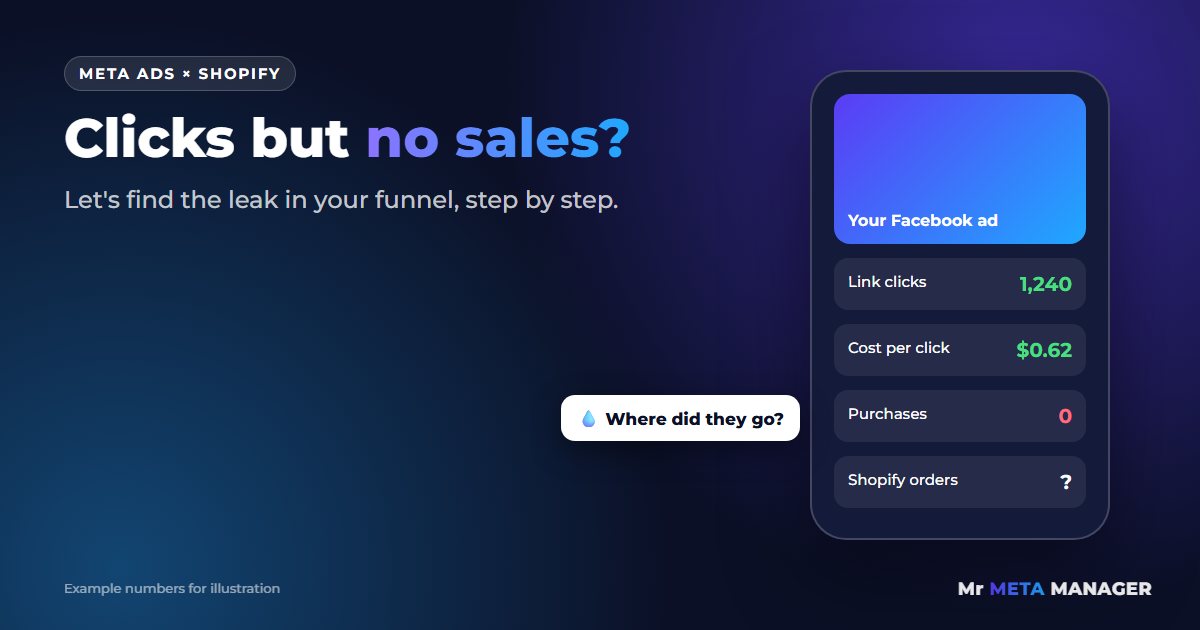
You check Ads Manager in the morning. Hundreds of link clicks. A cost per click that looks fine. Then you open Shopify and… nothing. Maybe one order. Maybe zero.
It’s one of the most frustrating feelings in e-commerce. You’re paying Facebook to send people to your store, they’re clearly showing up, and they’re leaving without buying. So where’s the money going?
Here’s the good news: “clicks but no sales” is almost never a mystery. It’s a leak, and leaks can be found. In this guide I’ll walk you through the exact order I check things when a store owner sends me this problem, so you can find your leak too.
First, let’s be honest about what “no sales” usually means
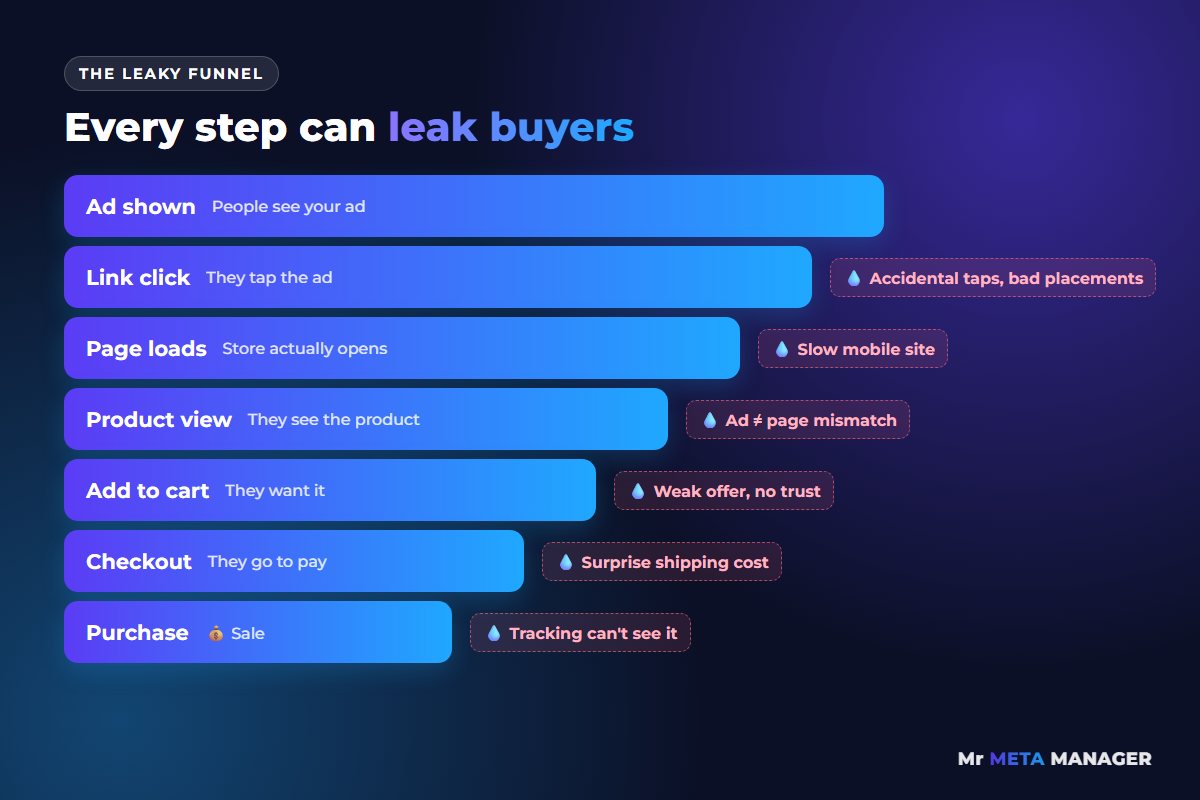
When clicks don’t turn into orders, it’s tempting to blame Facebook. “The algorithm is sending junk traffic.” Sometimes that’s true. But in my experience it’s usually one of these five things, and they’re listed roughly in the order you should check them:
- Your tracking is broken, so sales are happening but Meta can’t see them (or vice versa).
- The clicks aren’t real visitors, they’re accidental taps or people who bounce before the page loads.
- The ad and the page don’t match, so people land, feel confused, and leave.
- Something in the cart or checkout scares them off, usually a surprise shipping cost.
- The offer isn’t strong enough yet for a cold audience that’s never heard of you.
Think of your funnel like a pipe. Water (traffic) goes in at the top. If nothing comes out at the bottom, there’s a hole somewhere along the way. Your job isn’t to pour in more water. It’s to find the hole.
The 5-step process to find (and fix) the leak
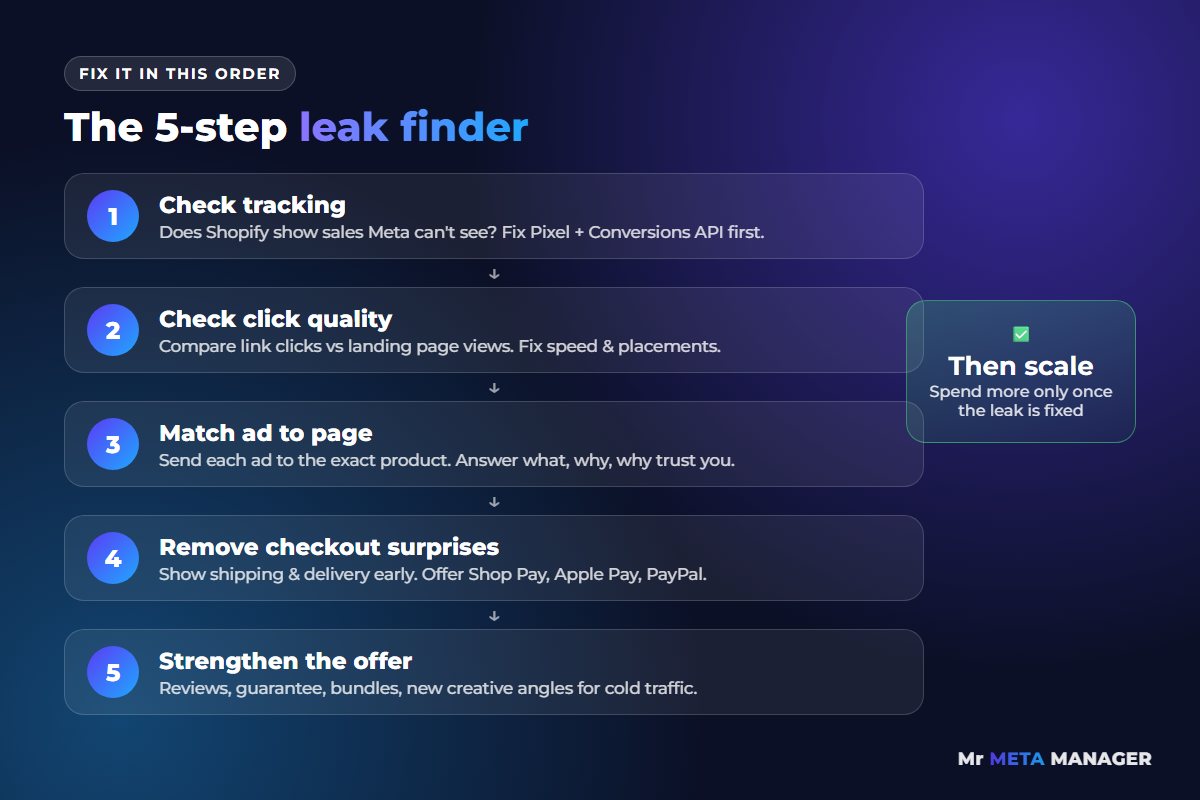
Work through these in order. Don’t skip ahead to “make new ads” until you’ve ruled out steps 1 to 4, because new ads pointed at a leaky store just leak faster.
Step 1: Check your tracking before anything else
This sounds boring, but it catches more problems than anything else. Open Shopify and Ads Manager side by side for the same date range. Ask yourself one question: does Shopify show orders from Facebook that Ads Manager isn’t reporting?
If yes, your ads might actually be working. Meta just can’t see the purchases, which means it can’t learn who your buyers are, which means it keeps showing your ads to the wrong people. That’s a vicious circle.
Quick checks:
- In Shopify, go to your Facebook & Instagram channel and confirm the data sharing setting is on the highest level your store allows (this turns on the Conversions API alongside the Pixel).
- In Meta Events Manager, open your Pixel and look at the Purchase event. Is it firing? Is it firing twice for one order? Duplicates are just as harmful as missing events.
- Place a small test order yourself and watch it come through.
Step 2: Make sure the clicks are real visitors
Not every “click” in Ads Manager is a person who saw your store. Compare link clicks with landing page views. If you’re getting 500 link clicks but only 200 landing page views, more than half of your visitors are leaving before the page even loads.
The usual culprits: a slow mobile site (heavy apps, huge images, pop-ups that fire instantly) or ads placed in spots where people tap by accident, like Audience Network. Fixing page speed alone can turn “no sales” into “some sales” in a week.
Step 3: Does the page deliver what the ad promised?
Open your ad on your phone. Tap it. Now pretend you’ve never heard of your brand. Does the page you land on show the exact product, price and offer from the ad, right at the top? Or does it dump you on the homepage and make you hunt?
Every second of “wait, where’s the thing I clicked on?” costs you buyers. Send each ad to the most specific page possible, and make sure the first screen on mobile answers three questions: what is it, why is it good, and why should I trust you.
Step 4: Look for surprises in the cart and checkout
In Shopify Analytics, check how many sessions reach Added to cart and Reached checkout, and how many of those turn into orders. If people are adding to cart but stopping at checkout, something surprised them. In my experience it’s almost always one of these:
- Shipping costs that appear for the first time at checkout
- Delivery times that weren’t mentioned earlier
- Missing payment options people expect (like Shop Pay, Apple Pay or PayPal)
- A discount code box that sends people off to Google to hunt for codes
Show shipping costs and delivery times on the product page. Nobody likes surprises when they’re about to pay.
Step 5: Only now, look at the offer and the creative
If tracking is clean, visitors are real, the page matches and checkout is smooth, but people still aren’t buying, then it’s time to look at the offer itself. Cold audiences need a reason to trust a brand they’ve never heard of. Reviews, a clear guarantee, a bundle or a first-order offer can make a big difference. So can testing a new angle in your creative that speaks to a different reason people buy.
Is it my ads or my website? A quick way to tell
Here’s a shortcut I use all the time. Look at two numbers: your click-through rate and your store’s add-to-cart rate from that traffic.
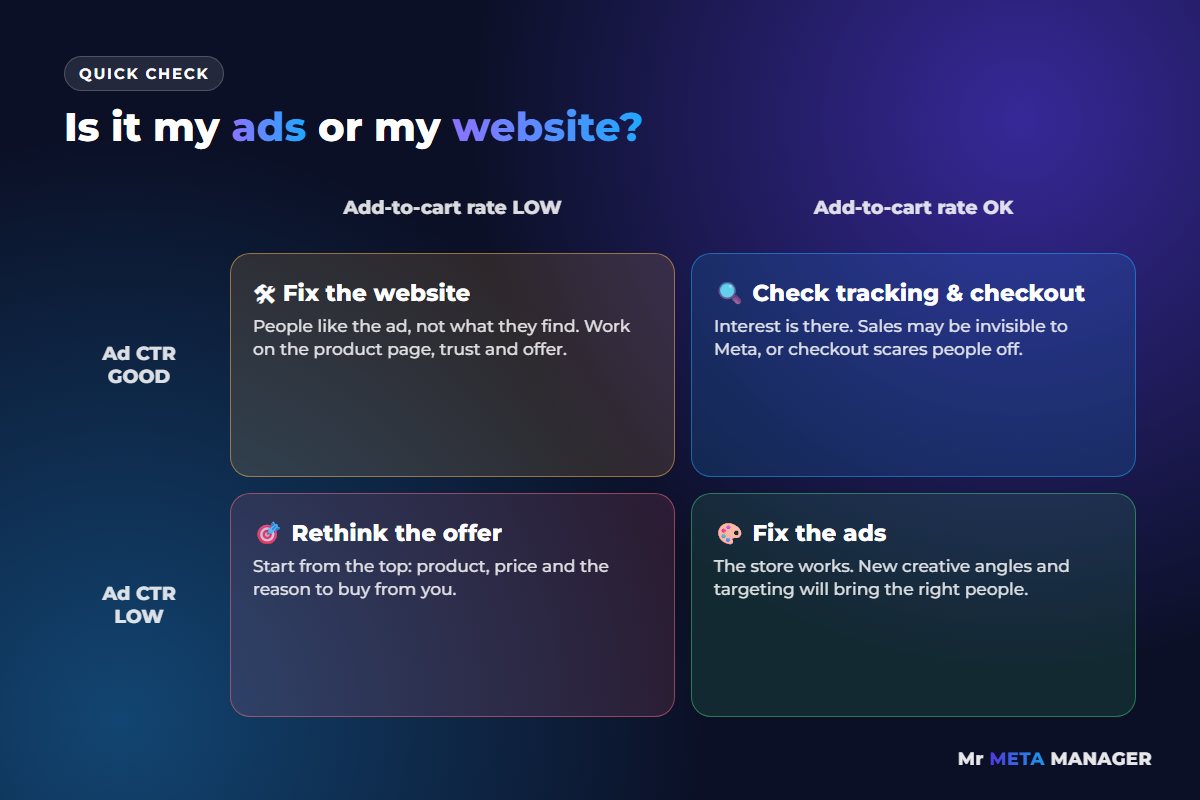
- Good CTR, low add-to-cart: people like the ad but not what they find. Fix the page and the offer.
- Low CTR, decent add-to-cart: the store works, but the ads aren’t attracting enough of the right people. Fix the creative and targeting.
- Both low: start from the top. Usually it’s the offer or product-market fit.
- Both fine, still no sales: go straight back to Step 1 and Step 4. It’s tracking or checkout.
How we can help (and how easy it is)
If you’ve read this far, you might be thinking: “Great, but I don’t have time to dig through all of this.” Totally fair. That’s exactly what we do every day at Mister Meta Manager.
We start every account with tracking, because if the data is wrong, every decision after that is a guess. For one Shopify brand we rebuilt the Pixel and Conversions API setup first, then restructured their Meta and Google campaigns. Over 2024 that account produced SEK 4.78M in revenue from SEK 1.19M in ad spend (4.0× ROAS). Every store is different and we can’t promise the same numbers, but we can promise we’ll find where your sales are leaking.
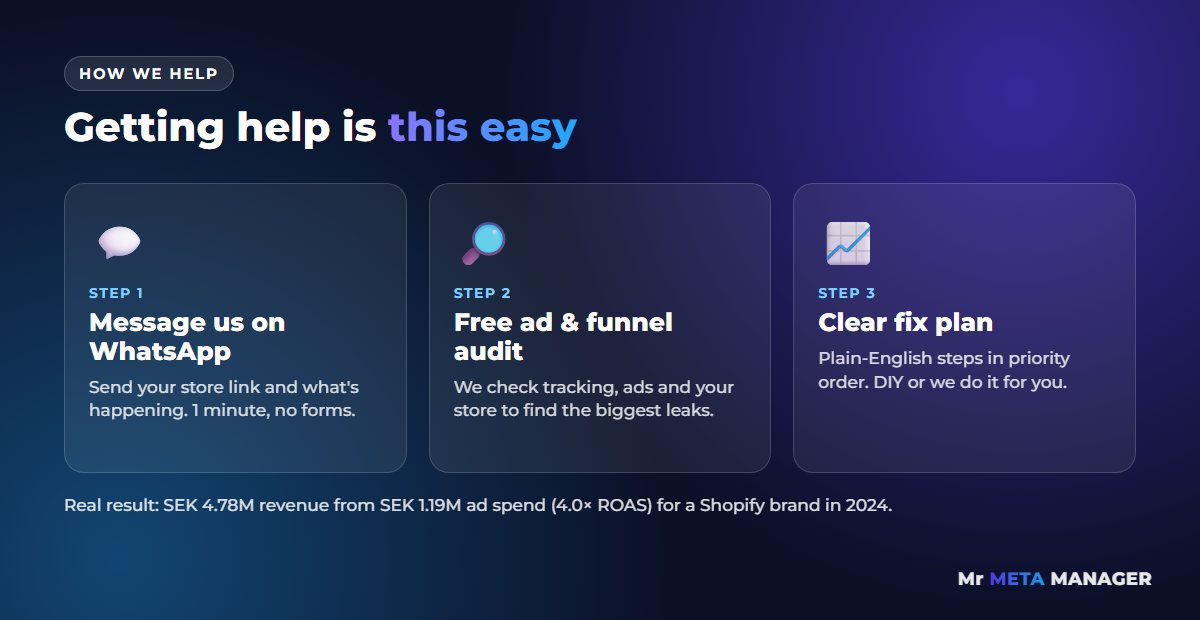
Here’s how simple it is to get started:
- Message us on WhatsApp. Tell us your store URL and what’s going on. One minute, no forms.
- We do a free audit. We look at your tracking, ads and store funnel and find the biggest leaks.
- You get a clear fix plan. Plain English, in priority order. Fix it yourself, or let us do it for you.
Stop paying for clicks that don’t buy
Every day your funnel leaks, you’re paying for traffic that never had a chance to convert. You don’t need a bigger budget. You need to plug the hole first.
Send us a WhatsApp message and we’ll take a look at your account for free.
💬 Chat with us on WhatsApp now
Prefer email? help@mistermetamanager.com
Quick answers
Why does Facebook show clicks but Shopify shows no sales?
Usually because of one of five leaks: broken tracking, low-quality clicks that bounce before the page loads, a mismatch between the ad and the landing page, surprise costs at checkout, or an offer that’s not strong enough for cold traffic. Check them in that order.
How many clicks should I get before expecting a sale?
It depends on your price, product and conversion rate, so there’s no single number. A practical approach: work out your store’s normal conversion rate and see if your ad traffic is far below it. If it is, the problem is the traffic or the page, not bad luck.
Should I turn off my ads if I’m getting no sales?
Not straight away. First check that tracking is working (Step 1). If Meta can’t see your sales, turning ads on and off just resets learning. Fix the leak, then decide.
Related: Meta Ads management for e-commerce · Shopify conversion tracking setup · Shopify CRO · Meta purchases not matching Shopify orders? · Meta Pixel purchase event not firing on Shopify?